 |
bcParser.NET
Math Parser for .NET
|
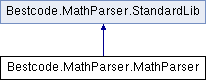
MathParser class calculates the value of mathematical expressions given as strings at runtime. Expression can contain predefined or user defined variables and functions. More...
Public Member Functions | |
| MathParser () | |
| Constructor for the MathParser. Instances are not thread safe and should not be shared between threads without proper synchronization. More... | |
| void | Optimize () |
| Optimizes the parse tree by finding branches that evaluate to a constant and replacing them with a leaf representing the constant. Until the expression is changed and reparsed, further evaluation requests will be quicker. If the same expression will not be evaluated repeatedly with varying values of parameters used in it, then optimization will not bring any gain, but will slow performance. If OptimizationOn property is set to true, this method is called automatically when an evaluation is requested by calling Evaluate method or getValue() method. More... | |
| Dictionary< string, string > | GetTranslationStrings () |
| Returns the existing trasnlatable strings used to report error messages. To use this component in a localized application, set the translated versions of strings for each value that exists in the Dictionary. By default, same Dictionary is shared between all instances of the parser. To change translation strings, set a new Dictionary of your own for the parser instance instead of editing the values contained in this Dictionary if you do not wish other parser instances not to be effected. More... | |
| void | SetTranslationStrings (Dictionary< string, string > strings) |
| Sets the key/value pairs where value is a translated message string for the parser to use while constructing messages. This mechanism allows the parser instances in the same VM efficiently use different locales independent of each other. not for each instance of the parser. Messages may contain parameter placeholders. For example: "Variable {0} does not exist". You need to have your own messages translated accordingly. More... | |
| IConvertible | GetVariable (String varName) |
| Variable property is a way to set and get variable values. Throws Exception if the variable does not exist. Variable name is not case sensitive. More... | |
| void | SetVariable (String varName, String newVal, VariableDelegate valueProvider) |
| Variable property is a way to set and get variable values. SetVariable function creates the variable if the variable does not exist. Variable name is not case sensitive. Throws exception if the variable needs to be created and the name is not a valid variable name. CreateVar is just an alias for this method. More... | |
| void | CreateConstant (String varName, double newVal) |
| Creates a new constant that can be used in an expression. Once a constant is created, it's value cannot be changed. Constants make it possible to optimize constant branches of an expression. More... | |
| void | CreateConstant (String varName, String newVal) |
| Creates a new constant that can be used in an expression. Once a constant is created, it's value cannot be changed. Constants make it possible to optimize constant branches of an expression. More... | |
| IConvertible | Evaluate () |
| Evaluates the expression and returns the result of it. If it cannot be parsed or evaluated then this method throws Exception. Calling this method is identical to calling getValue() More... | |
| void | Parse () |
| Parses the expression and forms a parse tree. Throws Exception if it cannot parse. Upon successful completion of parsing, it will set the Dirty flag to false, so that unless the expression is changed or variables and functions added or removed, expression does not need to be re-parsed. Users may want to call the parse method directly to check the validity of an input expression using a try-except block. If OptimizationOn property is true, Parse method will optimize the parse tree by evaluating constant branches of the parse tree at that moment, so that Evaluate function will run faster. More... | |
| void | CreateVar (String varName, String varValue, VariableDelegate valueProvider) |
| Creates a variable with given name and initial value. If the variable already exists, sets it's value to the specified value. Throws Exception if varName is not a valid variable name. More... | |
| void | CreateFunc (String newFuncName, IFunction funcAddr) |
| CreateFunc method creates a new function that takes n number of parameters (could be 0) in the parser's list of functions. If the function name already exists then this method throws Exception. Function name is not case sensitive. The second parameter is a reference to an implementation of the handler interface: interface IFunction { public IConvertible Run(IParameter[] parameters); public int GetNumberOfParams(); } While evaluation of the expression, when the registered function name is encountered, the user supplied IFunction.Run(IParameter[]) will be called. This event handler ( IFunction.Run(IParameter[]) ) will need to return a result (representing the value of the function) based on the parameters passed as an array of IParameter objects. If the number of parameters that a function takes is not known ahead of time, then the GetNumberOfParams function needs to return -1. Otherwise, it will return the number of parameters that will be passed to the function at runtime. Knowing the number of parameters ahead of time helps detect syntax errors during parsing. For example, if SIN(x) function descriptor did not tell us that it was taking only 1 parameter, then an expression like: SIN(x,y) would not cause syntax error during parsing, and if the implementation of SIN(x) did not check actual runtime number of parameters passed, then the problem could go undetected and the second y parameter could be ignored silently. More... | |
| void | CreateTwoParamFunc (String newFuncName, TwoParamFunc funcAddr) |
| A shortcut for common case scenario. CreateTwoParamFunc method creates a new function that takes two parameters and returns a double value. This is a convenient alternative to the CreateFunc method. Using CreateTwoParamFunc you can use a .NET delegate to create your function where as using CreateFunc method you would have to have a class implement the IFunction interface. Under the covers, CreateTwoParamFunc employs an adapter class that implements IFunction interface and calls your delegate as needed. The second parameter is of type delegate TwoParamFunc: public delegate double TwoParamFunc(IParameter x, IParameter y); While evaluation of the expression, when the registered function name is encountered, the user supplied TwoParamFunc(IParameter x, IParameter y) will be called. This delegate ( TwoParamFunc(IParameter x, IParameter y) ) will need to return a result (representing the value of the function) based on the x and y parameters. More... | |
| void | CreateOneParamFunc (String newFuncName, OneParamFunc funcAddr) |
| A shortcut for common case scenario. CreateOneParamFunc method creates a new function that takes one parameter and returns a double value. This is a convenient alternative to the CreateFunc method. Using CreateOneParamFunc you can use a .NET delegate to create your function where as using CreateFunc method you would have to have a class implement the IFunction interface. Under the covers, CreateOneParamFunc employs an adapter class that implements IFunction interface and calls your delegate as needed. The second parameter is a reference to an implementation of the handler interface: public delegate double OneParamFunc(IParameter x); While evaluation of the expression, when the registered function name is encountered, the user supplied OneParamFunc.run(Parameter x) will be called. This event handler ( OneParamFunc.run(Parameter x) ) will need to return a result (representing the value of the function) based on the x parameter. More... | |
| void | CreateDefaultFuncs () |
| CreateDefaultFuncs method creates some predefined functions in the parser's list of functions. Predefined functions are: SQR: Square function which can be used as SQR(X) SIN: Sinus function which can be used as SIN(X), X is a real-type expression. Sin returns the sine of the angle X in radians. COS: Cosinus function which can be used as COS(X), X is a real-type expression. COS returns the cosine of the angle X in radians. ATAN: ArcTangent function which can be used as ATAN(X) SINH: Sinus Hyperbolic function which can be used as SINH(X) COSH: Cosinus Hyperbolic function which can be used as COSH(X) COTAN: which can be used as COTAN(X) TAN: which can be used as TAN(X) EXP: which can be used as EXP(X) LN: natural log, which can be used as LN(X) LOG: 10 based log, which can be used as LOG(X) SQRT: which can be used as SQRT(X) ABS: absolute value, which can be used as ABS(X) SIGN: SIGN(X) returns -1 if X<0; +1 if X>0, 0 if X=0; it can be used as SQR(X) TRUNC: Discards the fractional part of a number. e.g. TRUNC(-3.2) is -3, TRUNC(3.2) is 3. CEIL: CEIL(-3.2) = 3, CEIL(3.2) = 4 FLOOR: FLOOR(-3.2) = -4, FLOOR(3.2) = 3 VAL: VAL("3.1") = 3.1 Returns the floating point numeric value of the string argument. Predefined functions that take two parameters are: INTPOW: The INTPOW function raises Base to an integral power. INTPOW(2, 3) = 8. Note that result of INTPOW(2, 3.4) = 8 as well. POW: The Power function raises Base to any power. For fractional exponents or exponents greater than MaxInt, Base must be greater than 0. LOGN: The LogN function returns the log base N of X. Example: LOGN(10, 100) = 2 MIN: MIN(2, 3) is 2. MAX: MAX(2, 3) is 3. IF: The IF(b, case1, case2) function provides branching capability. If b is not 0, then it returns case1, else it returns case2. Behavior is similar to C#'s: return b ? case1 : case2; If b==0 then case1 will not be Evaluated, and vice versa. Example: IF(HEIGHT, 3/HEIGHT, 3) will make sure 3/HEIGHT does not cause division by zero. Predefined functions that take no parameters are: RND: RND() function generates a random number (double value) between 0 and 1. STR: STR(123) function returns the string representation of the passed value: "123". SUBSTR: SUBSTR("Hello", 1,3) function returns the substring just like C# String.Substring function. The first parameter is the string, the second parameter is which index (0 based) to start copying, and the last parameter is the number of characters to copy. For example, SUBSTR("Hello", 1,3) returns "ell". STRLEN: STRLEN("abc") function returns the length of the string parameter. For example, for "abc" it returns 3. CONCAT: CONCAT("abc","def",...) function returns the concatanated strings: "abcdef". There is no preset limit on the number of parameters. TRIM: TRIM(" abc ") function returns the trimmed version of the string parameter: " abc " -> "abc". SUM: SUM(2,3,5,...) functions returns the sum of it's arguments. There is no preset limit on the number of parameters. User functions can be added using CreateFunc method. Functions and Variables can be deleted using DeleteVar, DeleteFunc, DeleteAllVars, DeleteAllFuncs methods. More... | |
| void | CreateDefaultVars () |
| X, Y and PI variables are predefined and can be immediately used in the expression. Initial values of X and Y are 0. PI is 3.14159265358979 More... | |
| void | DeleteVar (String varName) |
| DeleteVar method deletes an existing variable from the list of available variables. If the variable does not exist, then DeleteVar does nothing. When a variable is deleted Dirty flag is set to true so that next time the Evaluate function is called the expression will be reparsed. Variable name is not case sensitive. More... | |
| void | DeleteFunc (String funcName) |
| DeleteFunc method deletes an existing function from the list of available functions. If the function does not exist, deleteFunc does nothing. When a function is deleted Dirty flag is set to true so that next time the Evaluate function is called the expression will be reparsed. Function name is not case sensitive. More... | |
| void | DeleteAllVars () |
| DeleteAllVars method deletes all variables from the list of available variables. This action may be useful when number of unused variables is too high that causes performance to degrade. When a variable is deleted Dirty flag is set to true so that next time the Evaluate function is called the expression will be reparsed. More... | |
| void | DeleteAllFuncs () |
| DeleteAllFuncs method deletes all variables from the list of available functions. This action may be useful when number of unused functions is too high that causes performance to degrade. When a function is deleted Dirty flag is set to true so that next time the Evaluate function is called the expression will be reparsed. More... | |
| void | FreeParseTree () |
| FreeParseTree can be explicitly called to free the resources taken by the allocated Parse tree when an expression is parsed. FreeParseTree sets the Dirty flag to true so that next time the Evaluate function is called, expression will be parsed forming a new, valid parse tree to be evaluated. More... | |
| bool | IsVariableUsed (String varName) |
| Returns true if a variable with the name 'varName' is used in the current expression. Variable name is not case sensitive. Throws exception if expression is not parsed and cannot be parsed. More... | |
| bool | IsFunctionUsed (String funcName) |
| Returns true if a function with the name 'funcName' is used in the current expression. Function name is not case sensitive. Throws exception if expression is not parsed and cannot be parsed. More... | |
| bool | IsVariable (String varName) |
| Returns true if a variable with the name 'varName' is present in the current variables list. For backward compatibility, IsVariable returns true for constants also. For constants, you can use IsConstant. More... | |
| bool | IsConstant (String constName) |
| Returns true if a constant with the name 'constName' is defined. More... | |
| bool | IsFunction (String funcName) |
| Returns true if a function with the name 'funcName' is present in any of the current functions lists. More... | |
| IList< string > | GetVariablesUsed () |
| Returns the list of variables used in the current expression as an array of Strings. Each element of the array is guaranteed not to be null. If variables are not defined ahead of time, then VariableResolver must have been set. Otherwise, when an undefined variable is found in the expression, ParserException will be thrown. More... | |
| String[] | GetVariables () |
| Returns the list of variables as an array of Strings. Each element of the array is guaranteed not to be null. More... | |
| String[] | GetFunctions () |
| Returns a String[] array of function names declared for this parser. Elements of the array are guaranteed not to be null. More... | |
Protected Attributes | |
| String | m_Expression |
| protected variable that holds the expression to parse. More... | |
| bool | m_Dirty |
| non-public flag that shows if parsing is needed or not. if false, existing parse tree will be re-used. More... | |
| bool | m_OptimizationOn |
| when optimization on, after the parse tree is compiled, it will be further optimized by removing sub branches that evaluate to a constant. This will make Parse() operation slower and GetValue() operation faster. More... | |
| Dictionary< string, IFunction > | m_Functions |
| internal list of functions that take more than 2 parameters that are available for use in an expression. More... | |
| CultureInfo | m_CultureInfo = CultureInfo.InvariantCulture |
| Current CultureInfo for this parser instance. Default is InvariantCulture. Setting this and setting CultureSpecificDecimals causes decimal separator char to be dot(.) or comma(,) depending on CultureInfo. More... | |
| bool | m_PrecedingZerosAllowed = false |
| Allow preceding zeros or not? Default is false. 05 is valid if property is true. More... | |
| bool | m_StringLiteralsAllowed = true |
| Does the expression allows string literals or not? For example, is an expression like this allowed: "Hello"+"World" More... | |
| STR_CONCAT_OP | m_StrConcatOperator |
| The parser can use ampersand(&) or the plus(+) operator for string concatenations. You can set which one you want using StrConcatOperator property. The default is ampersand(&). Valid values are STR_CONCAT_OP.PLUS or STR_CONCAT_OP.AMPERSAND. More... | |
| TwoParameterFunc | m_AddOp = add_ |
| Implementation of + operator. More... | |
| TwoParameterFunc | m_AndOp = andWithStr_ |
| Implementation of & operator for strings. More... | |
Properties | |
| bool | CultureSpecificDecimals [get, set] |
| If false (default), decimal separator is always dot (.) regardless of CultureInfo property. If true, CultureInfo property decides whether dot or comma is used. If comma is being used, then function parameter separator is colon (:). More... | |
| char | DecimalSeparator [get] |
| The decimal separator that is currently in effect. This value is determined by CultureSpecificDecimals property and CultureInfo property. By default it is dot (.), and depending on CultureInfo that is set, it can be comma (,) if CultureSpecificDecimals is set to true. If comma is being used, then FunctionParamSeparator is colon (:). More... | |
| char | FunctionParamSeparator [get] |
| Function parameters are by default separated by comma (,). But colon (:) can be used as well. This value is determined by CultureSpecificDecimals property and CultureInfo property. If CultureSpecificDecimals is set to true and if comma is being used as a decimal separator then FunctionParamSeparatoI is colon (:), otherwise it is comma (,). More... | |
| STR_CONCAT_OP | StrConcatOperator [get, set] |
| The parser can use ampersand(&) or the plus(+) operator for string concatenations. You can set which one you want using StrConcatOperator property. The default is ampersand(&). Valid values are STR_CONCAT_OP.PLUS or STR_CONCAT_OP.AMPERSAND. More... | |
| CultureInfo | CultureInfo [get, set] |
| CultureInfo is used to sort list of variable names, function names when requuested as an array. More... | |
| bool | StringLiteralsAllowed [get, set] |
| Can the expression contain string literals such as "abc", "hello world" etc. If you do not want to support strings in the expression, (want numeric processing only), then you can set this property to false and then you can also remove string functions from the list of available functions. Then the parser will solely work on numeric expressions. The string literals may also be useful in numeric context where the string can refer to a database table or column name and can be passed to functions that actually use these strings to lookup these values in databases to return numeric values too. More... | |
| bool | PrecedingZerosAllowed [get, set] |
| Is 05 a valid number or not? By default it is not. If this property is set to true, then it is valid. More... | |
| VariableDelegate | VariableResolver [get, set] |
| VariableResolver delegate is used as a callback function that returns the values of variables when asked. This is useful when a variable cannot be defined before the parse operation. If VariableResolver property is set, it will be used to resolve variables that were not defined at the time parse operation has started. This means that syntax errors regarding undefined variables will not be caught at parse time. This VariableResolver (user implementation) will decide whether a variable name is valid or not. This is useful when for example the value comes from a database lookup. In some cases, the problem domain is too big to define the variables ahead of time. In such cases, it makes sense to parse with the assumption that it is a valid variable and resolve it's value when needed on demand during evaluation. More... | |
| IConvertible | X [get, set] |
| X property represents the X variable used in the mathematical expression which was input to be evaluated. You can set the X variable to a numeric or a string value and call the Parse method (or Value property) to retrieve the new result of the expression. X variable is created by default for the convenience of the user. Additional variables can be added by using the CreateVar method. Variable names are case insensitive. Throws Exception if variable X does not exist (was removed). More... | |
| IConvertible | Y [get, set] |
| Y property represents the Y variable used in the mathematical expression which was input to be evaluated. You can set the Y variable to a numeric or a string value and call the Parse method (or Value property) to retrieve the new result of the expression. Y variable is created by default for the convenience of the user. Additional variables can be added by using the CreateVar method. Variable names are case insensitive. Throws Exception if variable Y does not exist (was removed). More... | |
| IConvertible | Value [get] |
| Value property is a read only property which returns the result of the expression. throws Exception if expression cannot be parsed. Return value is an IConvertible that can be converted to either Double or String using Convert class. More... | |
| double | ValueAsDouble [get] |
| Value property is a read only property which returns the result of the expression. throws Exception if expression cannot be parsed. Return value is an IConvertible that is a Double. More... | |
| String | ValueAsString [get] |
| Value property is a read only property which returns the result of the expression. throws Exception if expression cannot be parsed. Return value is an IConvertible that is a Double. More... | |
| String | Expression [get, set] |
| Expression property represents the mathematical expression which is input to be Evaluated by the user. More... | |
| bool | OptimizationOn [get, set] |
| Set OptimizationOn to let the bcParser component evaluate constant expressions at parse time. The optimized parse tree will enhance subsequant evaluation operations, though initial parsing will be slower. Optimization is good if you are going to parse once and evaluate the same expression many many times with different variable values. More... | |
MathParser class calculates the value of mathematical expressions given as strings at runtime. Expression can contain predefined or user defined variables and functions.
| Bestcode.MathParser.MathParser.MathParser | ( | ) |
Constructor for the MathParser. Instances are not thread safe and should not be shared between threads without proper synchronization.
| void Bestcode.MathParser.MathParser.CreateConstant | ( | String | varName, |
| double | newVal | ||
| ) |
Creates a new constant that can be used in an expression. Once a constant is created, it's value cannot be changed. Constants make it possible to optimize constant branches of an expression.
| varName | The name of this constant. |
| newVal | a double value |
| void Bestcode.MathParser.MathParser.CreateConstant | ( | String | varName, |
| String | newVal | ||
| ) |
Creates a new constant that can be used in an expression. Once a constant is created, it's value cannot be changed. Constants make it possible to optimize constant branches of an expression.
| varName | The name of this constant. |
| newVal | a String |
| void Bestcode.MathParser.MathParser.CreateDefaultFuncs | ( | ) |
CreateDefaultFuncs method creates some predefined functions in the parser's list of functions.
Predefined functions are:
SQR: Square function which can be used as SQR(X)
SIN: Sinus function which can be used as SIN(X), X is a real-type expression. Sin returns the sine of the angle X in radians.
COS: Cosinus function which can be used as COS(X), X is a real-type expression. COS returns the cosine of the angle X in radians.
ATAN: ArcTangent function which can be used as ATAN(X)
SINH: Sinus Hyperbolic function which can be used as SINH(X)
COSH: Cosinus Hyperbolic function which can be used as COSH(X)
COTAN: which can be used as COTAN(X)
TAN: which can be used as TAN(X)
EXP: which can be used as EXP(X)
LN: natural log, which can be used as LN(X)
LOG: 10 based log, which can be used as LOG(X)
SQRT: which can be used as SQRT(X)
ABS: absolute value, which can be used as ABS(X)
SIGN: SIGN(X) returns -1 if X<0; +1 if X>0, 0 if X=0; it can be used as SQR(X)
TRUNC: Discards the fractional part of a number. e.g. TRUNC(-3.2) is -3, TRUNC(3.2) is 3.
CEIL: CEIL(-3.2) = 3, CEIL(3.2) = 4
FLOOR: FLOOR(-3.2) = -4, FLOOR(3.2) = 3
VAL: VAL("3.1") = 3.1 Returns the floating point numeric value of the string argument.
Predefined functions that take two parameters are:
INTPOW: The INTPOW function raises Base to an integral power. INTPOW(2, 3) = 8. Note that result of INTPOW(2, 3.4) = 8 as well.
POW: The Power function raises Base to any power. For fractional exponents or exponents greater than MaxInt, Base must be greater than 0.
LOGN: The LogN function returns the log base N of X. Example: LOGN(10, 100) = 2
MIN: MIN(2, 3) is 2.
MAX: MAX(2, 3) is 3.
IF: The IF(b, case1, case2) function provides branching capability. If b is not 0, then it returns case1, else it returns case2. Behavior is similar to C#'s: return b ? case1 : case2;
If b==0 then case1 will not be Evaluated, and vice versa. Example: IF(HEIGHT, 3/HEIGHT, 3) will make sure 3/HEIGHT does not cause division by zero.
Predefined functions that take no parameters are: RND: RND() function generates a random number (double value) between 0 and 1.
STR: STR(123) function returns the string representation of the passed value: "123".
SUBSTR: SUBSTR("Hello", 1,3) function returns the substring just like C# String.Substring function. The first parameter is the string, the second parameter is which index (0 based) to start copying, and the last parameter is the number of characters to copy. For example, SUBSTR("Hello", 1,3) returns "ell".
STRLEN: STRLEN("abc") function returns the length of the string parameter. For example, for "abc" it returns 3.
CONCAT: CONCAT("abc","def",...) function returns the concatanated strings: "abcdef". There is no preset limit on the number of parameters.
TRIM: TRIM(" abc ") function returns the trimmed version of the string parameter: " abc " -> "abc".
SUM: SUM(2,3,5,...) functions returns the sum of it's arguments. There is no preset limit on the number of parameters.
User functions can be added using CreateFunc method. Functions and Variables can be deleted using DeleteVar, DeleteFunc, DeleteAllVars, DeleteAllFuncs methods.
| void Bestcode.MathParser.MathParser.CreateDefaultVars | ( | ) |
X, Y and PI variables are predefined and can be immediately used in the expression. Initial values of X and Y are 0. PI is 3.14159265358979
| void Bestcode.MathParser.MathParser.CreateFunc | ( | String | newFuncName, |
| IFunction | funcAddr | ||
| ) |
CreateFunc method creates a new function that takes n number of parameters (could be 0) in the parser's list of functions. If the function name already exists then this method throws Exception. Function name is not case sensitive.
The second parameter is a reference to an implementation of the handler interface:
interface IFunction {
public IConvertible Run(IParameter[] parameters);
public int GetNumberOfParams();
}
While evaluation of the expression, when the registered function name is encountered, the user supplied IFunction.Run(IParameter[]) will be called.
This event handler ( IFunction.Run(IParameter[]) ) will need to return a result (representing the value of the function) based on the parameters passed as an array of IParameter objects. If the number of parameters that a function takes is not known ahead of time, then the GetNumberOfParams function needs to return -1. Otherwise, it will return the number of parameters that will be passed to the function at runtime. Knowing the number of parameters ahead of time helps detect syntax errors during parsing. For example, if SIN(x) function descriptor did not tell us that it was taking only 1 parameter, then an expression like: SIN(x,y) would not cause syntax error during parsing, and if the implementation of SIN(x) did not check actual runtime number of parameters passed, then the problem could go undetected and the second y parameter could be ignored silently.
| newFuncName | Name of the new function to create. |
| funcAddr | Implementation of the IFunction interface that will be invoked using IFunction.run(IParameter[]) when parser needs to execute this user defined function. |
| void Bestcode.MathParser.MathParser.CreateOneParamFunc | ( | String | newFuncName, |
| OneParamFunc | funcAddr | ||
| ) |
A shortcut for common case scenario. CreateOneParamFunc method creates a new function that takes one parameter and returns a double value. This is a convenient alternative to the CreateFunc method. Using CreateOneParamFunc you can use a .NET delegate to create your function where as using CreateFunc method you would have to have a class implement the IFunction interface. Under the covers, CreateOneParamFunc employs an adapter class that implements IFunction interface and calls your delegate as needed.
The second parameter is a reference to an implementation of the handler interface:
public delegate double OneParamFunc(IParameter x);
While evaluation of the expression, when the registered function name is encountered, the user supplied OneParamFunc.run(Parameter x) will be called.
This event handler ( OneParamFunc.run(Parameter x) ) will need to return a result (representing the value of the function) based on the x parameter.
| newFuncName | Name of the new function to create. |
| funcAddr | Delegate that will be invoked when parser needs to execute this user defined function. |
| void Bestcode.MathParser.MathParser.CreateTwoParamFunc | ( | String | newFuncName, |
| TwoParamFunc | funcAddr | ||
| ) |
A shortcut for common case scenario. CreateTwoParamFunc method creates a new function that takes two parameters and returns a double value. This is a convenient alternative to the CreateFunc method. Using CreateTwoParamFunc you can use a .NET delegate to create your function where as using CreateFunc method you would have to have a class implement the IFunction interface. Under the covers, CreateTwoParamFunc employs an adapter class that implements IFunction interface and calls your delegate as needed.
The second parameter is of type delegate TwoParamFunc:
public delegate double TwoParamFunc(IParameter x, IParameter y);
While evaluation of the expression, when the registered function name is encountered, the user supplied TwoParamFunc(IParameter x, IParameter y) will be called.
This delegate ( TwoParamFunc(IParameter x, IParameter y) ) will need to return a result (representing the value of the function) based on the x and y parameters.
| newFuncName | Name of the new function to create. |
| funcAddr | Delegate that will be invoked when parser needs to execute this user defined function. |
| void Bestcode.MathParser.MathParser.CreateVar | ( | String | varName, |
| String | varValue, | ||
| VariableDelegate | valueProvider | ||
| ) |
Creates a variable with given name and initial value. If the variable already exists, sets it's value to the specified value. Throws Exception if varName is not a valid variable name.
| varName | Variable name (case insensitive). |
| varValue | Initial value for the variable. |
| valueProvider | The callback delegate that decides the value of the variable at runtime. public delegate IConvertible VariableDelegate(MathParser parser, String varName); |
| void Bestcode.MathParser.MathParser.DeleteAllFuncs | ( | ) |
DeleteAllFuncs method deletes all variables from the list of available functions.
This action may be useful when number of unused functions is too high that causes performance to degrade.
When a function is deleted Dirty flag is set to true so that next time the Evaluate function is called the expression will be reparsed.
| void Bestcode.MathParser.MathParser.DeleteAllVars | ( | ) |
DeleteAllVars method deletes all variables from the list of available variables.
This action may be useful when number of unused variables is too high that causes performance to degrade.
When a variable is deleted Dirty flag is set to true so that next time the Evaluate function is called the expression will be reparsed.
| void Bestcode.MathParser.MathParser.DeleteFunc | ( | String | funcName | ) |
DeleteFunc method deletes an existing function from the list of available functions. If the function does not exist, deleteFunc does nothing.
When a function is deleted Dirty flag is set to true so that next time the Evaluate function is called the expression will be reparsed. Function name is not case sensitive.
| funcName | Name of the function to delete. |
| void Bestcode.MathParser.MathParser.DeleteVar | ( | String | varName | ) |
DeleteVar method deletes an existing variable from the list of available variables. If the variable does not exist, then DeleteVar does nothing.
When a variable is deleted Dirty flag is set to true so that next time the Evaluate function is called the expression will be reparsed. Variable name is not case sensitive.
| varName | Name of the variable to delete. |
| IConvertible Bestcode.MathParser.MathParser.Evaluate | ( | ) |
Evaluates the expression and returns the result of it. If it cannot be parsed or evaluated then this method throws Exception.
Calling this method is identical to calling getValue()
<return>Returns the value of the parsed expression. The return type is an IConvertible that can be interpreted as either Double or String using the Convert class.</return>
| void Bestcode.MathParser.MathParser.FreeParseTree | ( | ) |
FreeParseTree can be explicitly called to free the resources taken by the allocated Parse tree when an expression is parsed. FreeParseTree sets the Dirty flag to true so that next time the Evaluate function is called, expression will be parsed forming a new, valid parse tree to be evaluated.
| String [] Bestcode.MathParser.MathParser.GetFunctions | ( | ) |
Returns a String[] array of function names declared for this parser. Elements of the array are guaranteed not to be null.
| Dictionary<string, string> Bestcode.MathParser.MathParser.GetTranslationStrings | ( | ) |
Returns the existing trasnlatable strings used to report error messages. To use this component in a localized application, set the translated versions of strings for each value that exists in the Dictionary. By default, same Dictionary is shared between all instances of the parser. To change translation strings, set a new Dictionary of your own for the parser instance instead of editing the values contained in this Dictionary if you do not wish other parser instances not to be effected.
| IConvertible Bestcode.MathParser.MathParser.GetVariable | ( | String | varName | ) |
Variable property is a way to set and get variable values. Throws Exception if the variable does not exist. Variable name is not case sensitive.
<return>Returns the current value of the variable. It is either Double or String</return>
| String [] Bestcode.MathParser.MathParser.GetVariables | ( | ) |
Returns the list of variables as an array of Strings. Each element of the array is guaranteed not to be null.
| IList<string> Bestcode.MathParser.MathParser.GetVariablesUsed | ( | ) |
Returns the list of variables used in the current expression as an array of Strings. Each element of the array is guaranteed not to be null. If variables are not defined ahead of time, then VariableResolver must have been set. Otherwise, when an undefined variable is found in the expression, ParserException will be thrown.
| bool Bestcode.MathParser.MathParser.IsConstant | ( | String | constName | ) |
Returns true if a constant with the name 'constName' is defined.
| constName | Name of the constant in question. |
| bool Bestcode.MathParser.MathParser.IsFunction | ( | String | funcName | ) |
Returns true if a function with the name 'funcName' is present in any of the current functions lists.
| funcName | Name of the function in question. |
| bool Bestcode.MathParser.MathParser.IsFunctionUsed | ( | String | funcName | ) |
Returns true if a function with the name 'funcName' is used in the current expression. Function name is not case sensitive. Throws exception if expression is not parsed and cannot be parsed.
| funcName | Name of the function in question. |
| bool Bestcode.MathParser.MathParser.IsVariable | ( | String | varName | ) |
Returns true if a variable with the name 'varName' is present in the current variables list. For backward compatibility, IsVariable returns true for constants also. For constants, you can use IsConstant.
| varName | Name of the variable in question. |
| bool Bestcode.MathParser.MathParser.IsVariableUsed | ( | String | varName | ) |
Returns true if a variable with the name 'varName' is used in the current expression. Variable name is not case sensitive. Throws exception if expression is not parsed and cannot be parsed.
| varName | Name of the variable in question. |
| void Bestcode.MathParser.MathParser.Optimize | ( | ) |
Optimizes the parse tree by finding branches that evaluate to a constant and replacing them with a leaf representing the constant. Until the expression is changed and reparsed, further evaluation requests will be quicker.
If the same expression will not be evaluated repeatedly with varying values of parameters used in it, then optimization will not bring any gain, but will slow performance.
If OptimizationOn property is set to true, this method is called automatically when an evaluation is requested by calling Evaluate method or getValue() method.
| void Bestcode.MathParser.MathParser.Parse | ( | ) |
Parses the expression and forms a parse tree. Throws Exception if it cannot parse. Upon successful completion of parsing, it will set the Dirty flag to false, so that unless the expression is changed or variables and functions added or removed, expression does not need to be re-parsed. Users may want to call the parse method directly to check the validity of an input expression using a try-except block.
If OptimizationOn property is true, Parse method will optimize the parse tree by evaluating constant branches of the parse tree at that moment, so that Evaluate function will run faster.
| void Bestcode.MathParser.MathParser.SetTranslationStrings | ( | Dictionary< string, string > | strings | ) |
Sets the key/value pairs where value is a translated message string for the parser to use while constructing messages. This mechanism allows the parser instances in the same VM efficiently use different locales independent of each other. not for each instance of the parser.
Messages may contain parameter placeholders. For example: "Variable {0} does not exist". You need to have your own messages translated accordingly.
Existing strings are:
("ExpEmpty", "Expression is empty.");
("VarNtExst", "Variable {0} does not exist.");
("VarNtDbl", "Variable {0} is not numeric.");
("VarNtStr", "Variable {0} is not a string.");
("VarNtDblStr", "Variable {0} should be a Double or a String.");
("NtVarNm", "{0} is not a valid variable name.");
("SntxErr", "Syntax error in expression {0}");
("NtFncNm", "{0} is not a valid function name.");
("FncExst", "Function {0} already exists.");
("WrngNPrms", "Function {0} must accept at least 2 parameters not {1}.");
("ExpNtVld", "Sub expression <{0}> in <{1}> is not valid.");
("InvNPrm", "Invalid number of parameters in <{0}>.");
| strings | Dictionary of translated values hashed by key. |
| void Bestcode.MathParser.MathParser.SetVariable | ( | String | varName, |
| String | newVal, | ||
| VariableDelegate | valueProvider | ||
| ) |
Variable property is a way to set and get variable values. SetVariable function creates the variable if the variable does not exist. Variable name is not case sensitive. Throws exception if the variable needs to be created and the name is not a valid variable name. CreateVar is just an alias for this method.
| newVal | New value of the variable. It should be either a Double or a String. |
| varName | Name of the variable whose value is being set. |
| valueProvider | The delegate that returns the value for a variable when asked by name. When a valueProvider is set for a Variable, it's assigned value wil lnot be used and instead the valueProvider of type public delegate IConvertible VariableDelegate(MathParser parser, String varName); will be called. This is useful in cases when the value of a variable comes from a database and it is not easy to set it's value (or it is costly) ahead of time. So, when you want to compute the variable value only when it is needed, then you can register a valueProvider to be called. You can use the same valueProvider for all or some of your variables or you can have a different valueProvider for each variable. |
|
protected |
Implementation of + operator.
|
protected |
Implementation of & operator for strings.
|
protected |
Current CultureInfo for this parser instance. Default is InvariantCulture. Setting this and setting CultureSpecificDecimals causes decimal separator char to be dot(.) or comma(,) depending on CultureInfo.
|
protected |
non-public flag that shows if parsing is needed or not. if false, existing parse tree will be re-used.
|
protected |
protected variable that holds the expression to parse.
|
protected |
internal list of functions that take more than 2 parameters that are available for use in an expression.
|
protected |
when optimization on, after the parse tree is compiled, it will be further optimized by removing sub branches that evaluate to a constant. This will make Parse() operation slower and GetValue() operation faster.
|
protected |
Allow preceding zeros or not? Default is false. 05 is valid if property is true.
|
protected |
The parser can use ampersand(&) or the plus(+) operator for string concatenations. You can set which one you want using StrConcatOperator property. The default is ampersand(&). Valid values are STR_CONCAT_OP.PLUS or STR_CONCAT_OP.AMPERSAND.
|
protected |
Does the expression allows string literals or not? For example, is an expression like this allowed: "Hello"+"World"
|
getset |
CultureInfo is used to sort list of variable names, function names when requuested as an array.
|
getset |
If false (default), decimal separator is always dot (.) regardless of CultureInfo property. If true, CultureInfo property decides whether dot or comma is used. If comma is being used, then function parameter separator is colon (:).
|
get |
The decimal separator that is currently in effect. This value is determined by CultureSpecificDecimals property and CultureInfo property. By default it is dot (.), and depending on CultureInfo that is set, it can be comma (,) if CultureSpecificDecimals is set to true. If comma is being used, then FunctionParamSeparator is colon (:).
|
getset |
Expression property represents the mathematical expression which is input to be Evaluated by the user.
The expression can contain variables and/or constants such as X, Y, T, HEIGHT, WEIGHT and so on. The values of these constants are set before the expression is evaluated. The values of the variables can be set before the expression is evaluated or the values can be provided during evaluation using a delegate ValueProvider.
public delegate IConvertible VariableDelegate(MathParser parser, String varName);
Expression can also contain functions that take any number of parameters. Variable and Function names are not case sensitive.
When Expression is assigned a value, it becomes 'dirty' and further attempt to Evaluate its value will require it to be Parsed. But once it is Parsed, and a Parse tree representing the expression is formed, it won't be Parsed again, until it is assignd a new string (or another relevant change occurs). Instead, the Parse tree will be used to retrieve current results as the values of variables change.
X, Y and PI variables are predefined and can be immediately used in the expression. CreateVar, SetVariable methods can be used to add user variables.
Predefined functions are:
SQR: Square function which can be used as SQR(X)
SIN: Sinus function which can be used as SIN(X), X is a real-type expression. Sin returns the sine of the angle X in radians.
COS: Cosinus function which can be used as COS(X), X is a real-type expression. COS returns the cosine of the angle X in radians.
ATAN: ArcTangent function which can be used as ATAN(X)
SINH: Sinus Hyperbolic function which can be used as SINH(X)
COSH: Cosinus Hyperbolic function which can be used as COSH(X)
COTAN: which can be used as COTAN(X)
TAN: which can be used as TAN(X)
EXP: which can be used as EXP(X)
LN: natural log, which can be used as LN(X)
LOG: 10 based log, which can be used as LOG(X)
SQRT: which can be used as SQRT(X)
ABS: absolute value, which can be used as ABS(X)
SIGN: SIGN(X) returns -1 if X<0; +1 if X>0, 0 if X=0; it can be used as SQR(X)
TRUNC: Discards the fractional part of a number. e.g. TRUNC(-3.2) is -3, TRUNC(3.2) is 3.
CEIL: CEIL(-3.2) = 3, CEIL(3.2) = 4
FLOOR: FLOOR(-3.2) = -4, FLOOR(3.2) = 3
Predefined functions that take two parameters are:
INTPOW: The INTPOW function raises Base to an integral power. INTPOW(2, 3) = 8. Note that result of INTPOW(2, 3.4) = 8 as well.
POW: The Power function raises Base to any power. For fractional exponents or exponents greater than MaxInt, Base must be greater than 0.
LOGN: The LogN function returns the log base N of X. Example: LOGN(10, 100) = 2
MIN: MIN(2, 3) is 2.
MAX: MAX(2, 3) is 3.
IF: The IF(b, case1, case2) function provides branching capability. If b is not 0, then it returns case1, else it returns case2. Behavior is similar to C#'s: return b ? case1 : case2;
If b==0 then case1 will not be Evaluated, and vice versa. Example: IF(HEIGHT, 3/HEIGHT, 3) will make sure 3/HEIGHT does not cause division by zero.
Predefined functions that take no parameters are: RND: RND() function generates a random number (double value) between 0 and 1.
STR: STR(123) function returns the string representation of the passed value: "123".
SUBSTR: SUBSTR("Hello", 1,3) function returns the substring just like C# String.Substring function. The first parameter is the string, the second parameter is which index (0 based) to start copying, and the last parameter is the number of characters to copy. For example, SUBSTR("Hello", 1,3) returns "ell".
STRLEN: STRLEN("abc") function returns the length of the string parameter. For example, for "abc" it returns 3.
CONCAT: CONCAT("abc","def",...) function returns the concatanated strings: "abcdef". There is no preset limit on the number of parameters.
SUM: SUM(2,3,5,...) functions returns the sum of it's arguments. There is no preset limit on the number of parameters.
User functions can be added using CreateFunc method. Functions and Variables can be deleted using DeleteVar, DeleteFunc, DeleteAllVars, DeleteAllFuncs methods.
|
get |
Function parameters are by default separated by comma (,). But colon (:) can be used as well. This value is determined by CultureSpecificDecimals property and CultureInfo property. If CultureSpecificDecimals is set to true and if comma is being used as a decimal separator then FunctionParamSeparatoI is colon (:), otherwise it is comma (,).
|
getset |
Set OptimizationOn to let the bcParser component evaluate constant expressions at parse time. The optimized parse tree will enhance subsequant evaluation operations, though initial parsing will be slower.
Optimization is good if you are going to parse once and evaluate the same expression many many times with different variable values.
|
getset |
Is 05 a valid number or not? By default it is not. If this property is set to true, then it is valid.
|
getset |
The parser can use ampersand(&) or the plus(+) operator for string concatenations. You can set which one you want using StrConcatOperator property. The default is ampersand(&). Valid values are STR_CONCAT_OP.PLUS or STR_CONCAT_OP.AMPERSAND.
|
getset |
Can the expression contain string literals such as "abc", "hello world" etc. If you do not want to support strings in the expression, (want numeric processing only), then you can set this property to false and then you can also remove string functions from the list of available functions. Then the parser will solely work on numeric expressions. The string literals may also be useful in numeric context where the string can refer to a database table or column name and can be passed to functions that actually use these strings to lookup these values in databases to return numeric values too.
|
get |
Value property is a read only property which returns the result of the expression. throws Exception if expression cannot be parsed. Return value is an IConvertible that can be converted to either Double or String using Convert class.
|
get |
Value property is a read only property which returns the result of the expression. throws Exception if expression cannot be parsed. Return value is an IConvertible that is a Double.
|
get |
Value property is a read only property which returns the result of the expression. throws Exception if expression cannot be parsed. Return value is an IConvertible that is a Double.
|
getset |
VariableResolver delegate is used as a callback function that returns the values of variables when asked. This is useful when a variable cannot be defined before the parse operation. If VariableResolver property is set, it will be used to resolve variables that were not defined at the time parse operation has started. This means that syntax errors regarding undefined variables will not be caught at parse time. This VariableResolver (user implementation) will decide whether a variable name is valid or not. This is useful when for example the value comes from a database lookup. In some cases, the problem domain is too big to define the variables ahead of time. In such cases, it makes sense to parse with the assumption that it is a valid variable and resolve it's value when needed on demand during evaluation.
|
getset |
X property represents the X variable used in the mathematical expression which was input to be evaluated. You can set the X variable to a numeric or a string value and call the Parse method (or Value property) to retrieve the new result of the expression. X variable is created by default for the convenience of the user. Additional variables can be added by using the CreateVar method. Variable names are case insensitive. Throws Exception if variable X does not exist (was removed).
|
getset |
Y property represents the Y variable used in the mathematical expression which was input to be evaluated. You can set the Y variable to a numeric or a string value and call the Parse method (or Value property) to retrieve the new result of the expression. Y variable is created by default for the convenience of the user. Additional variables can be added by using the CreateVar method. Variable names are case insensitive. Throws Exception if variable Y does not exist (was removed).
 1.8.11

